Search

API: queue & dequeue

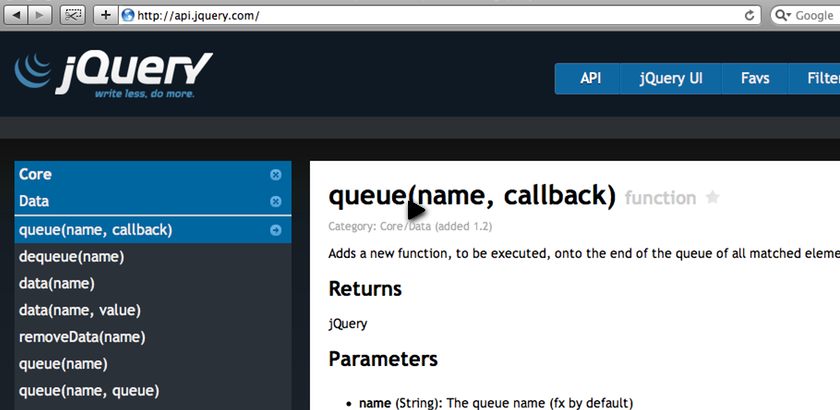
Posted on 10th July 2009 — queue & dequeue are a pair of core data utilities that help you to add your own bespoke to animations.

Watch

Watch API: queue & dequeue screencast (Alternative flash version)

QuickTime version is approximately 7Mb, flash version is streaming.

View the demo used in the screencast

Queue & Dequeue

These methods tend to come in pairs when you’re working within the animation queue.

When you use the animate and show, hide, slideUp, etc effect methods, you’re adding a job on to the fx queue.

By default, using queue and passing a function, will add to the fx queue. So we’re creating our own bespoke animation step:

$('.box').animate({
  height : 20
}, 'slow')
.queue(function () {
  $('#title').html("We're in the animation, baby!");
});

As I said though, these methods come in pairs, so anything you add using queue, you need to dequeue to allow the process to continue. In the code above, if I chained more animations on, until I call $(this).dequeue(), the subsequent animations wouldn’t run:

$('.box').animate({
  height : 20
}, 'slow')
.queue(function () {
  $('#title').html("We're in the animation, baby!");
  $(this).dequeue();
})
.animate({
  height: 150
});

Keeping in mind that the animation won’t continue until we’ve explicitly called dequeue, we can easily create a pausing plugin, by adding a step in the queue that sets a timer and triggers after n milliseconds, at which time, it dequeues the element:

$.fn.pause = function (n) {
  return this.queue(function () {
    var el = this;
    setTimeout(function () {
      return $(el).dequeue();
    }, n);
  });
};

$('.box').animate({
  height : 20
}, 'slow')
.pause(1000) // 1000ms == 1 second
.animate({
  height: 150
});

Remember that the first argument for queue and dequeue are ‘fx’, and that in all of these examples I’m not including it because jQuery set the argument to ‘fx’ by default - so I don’t have to specify it.

You can see more examples on the jQuery documentation site for: queue & dequeue

Demo

If you find this demo doesn't work as expected, it's possibly due to the demo running from within an iframe. Try running the demo in it's own window.

Source Code

<!DOCTYPE html PUBLIC "-//W3C//DTD XHTML 1.0 Strict//EN"
  "http://www.w3.org/TR/xhtml1/DTD/xhtml1-strict.dtd">
<html xmlns="http://www.w3.org/1999/xhtml" xml:lang="en" lang="en">
<head>
<meta http-equiv="Content-type" content="text/html; charset=utf-8" />
<title>API: Queue and Dequeue</title>
<style type="text/css" media="screen">
body {
  font: 1em/1.5em Helvetica, Arial, sans-serif;
}

input {
  font-size: 16px;
  padding: 5px;
  width: 150px;
  display: block;
  margin: 10px;
}

.box {
  float: left;
  height: 148px;
  width: 148px;
  margin: 10px;
  border: 1px solid #ccc;
  overflow: hidden;
  position: relative;
}

.box p { 
  margin: 14px 5px;
  color: #fff;
  font-size: 90%;
}

#boxpause {
  background-color: #0cc;
}

</style>
<script src="http://ajax.googleapis.com/ajax/libs/jquery/1/jquery.min.js" type="text/javascript"></script>
<script type="text/javascript" charset="utf-8">

$.fn.pause = function (n) {
    return this.queue(function () {
        var el = this;
        setTimeout(function () {
            return $(el).dequeue();
        }, n);
    });
};

$(document).ready(function () {
    setInterval(function () {
        $('#counter').html('Animations to go: ' + $('.box').queue().length);
    }, 10);

    $('input').click(function () {
        $('.box').animate({
            height : 20
        }, 'slow')
        .animate({
            height : 150
        }, 'slow')
        .animate({
            left: '+=100',
            top: '+=100'
        }, 200)
        .queue(function () {
            $('#title').html("We're in the animation, baby!");
            $(this).dequeue();
        })
        .pause(1000)
        .animate({
            top: 0
        }, 200)
        .animate({
            height: 5
        })
        .animate({
            height: 150
        });

    });

});

</script>
</head>
<body>
    <h1><span id="title">API: queue &amp; dequeue</span> <span id="counter"></span></h1>

    <div class="effect">
        <input type="button" id="animate" value="animate" />
        <div class="box" id="boxpause"><p>Lorem ipsum dolor sit amet, consectetur adipisicing elit, sed do eiusmod tempor incididunt ut labore et dolore magna aliqua.</p></div>            
    </div>

</body>
</html>

Comments

  1. Andrew Chalkley On 10th July 2009 at 13:07

    Very nice.

    I don’t think these screencasts are just for designers.

  2. Mickaƫl H. On 10th July 2009 at 17:07

    The last link is broken (You may wish to delete the last slash)

    In any case, thank you for this eloquent example.

  3. webhostingsphere On 10th July 2009 at 17:07

    Thats a great code! Well coded, very neat.

    Thanks for sharing

  4. Project2501 On 11th July 2009 at 03:07

    It was interesting to learn about queue and dequeue. I particularly liked how you demonstrated how easy it is to create a jQuery plugin (and to set a timer using jQuery). That said, I didn’t quite understand the significance of using queue and dequeue; it seems that it is just meant to allow you to execute some other code in between a chain of animation commands (of which I don’t know what significance that offers — perhaps some performance saving by not requiring another selector, or simply a matter of semantics?).

    Couldn’t I just as easily have achieved the same without using queue/dequeue by just breaking the chain of commands, directly inserting the code that I otherwise would specify in my custom queue function and creating a new chain of animation commands to be executed thereafter (as in ‘$(selector).animA.animB; someCustomCode; $(selector).animC.AnimD…’;)?

    Thanks a lot for this effort and the excellent API browser! Your tutorials have been a great inspiration!

  5. Remy On 11th July 2009 at 08:07

    @Project2501 - so, in your example of:

    $(selector).animA;
    someCustomCode();
    $(selector).animC.animD...

    While animA is running, someCustomCode() will execute, because the animations are synchronous with other executed code. However, it won’t start running animC because that’s part of the animation FX queue.

    So, if I want something to run after the effect has finished, I can use queue. In that way it’s similar to the callback method (except it’s made part of the FX queue specifically).

    I hope that explains.

  6. Jolyon On 13th July 2009 at 22:07

    I like your idea for your next J4Dcast. FYI, there are developers out there using jQuery to create some iPhone effect plugins, like this very recent plugin that simulates an iPhone style password input box: http://blog.decaf.de/2009/07/iphone-like-password-fields-using-jquery/

    Might be worth it to scout around before duplicating someone else’s work, but still looking forward to what you can show us!

    Cheers - Jt

  7. Remy On 14th July 2009 at 15:07

    @Jolyon - I don’t think I’ve seen what I’ve got planned around before, but feel free to point me in the right direction when it comes out.

    That said, the purpose of this site is to show designers and developers how to deconstruct ideas and put together something using jQuery. With that in mind, it’s quite likely something will exist already when I’m running through the tutorial (see the Coda slide for a great example of this) - cheers :-)

  8. Pardeep On 25th December 2009 at 18:12

    Your tutorials are AWESOME man, thanks so much for cutting to the chase.

Leave your own comment
  • http://