Search

API: map & grep

Posted on 25th March 2009 — map and grep are two utilities that are extremely useful if you know how to use them, but more often that not, I see more convoluted code written to achieve the effect of these functions.

Historically, I believe that John Resig was inspired by the Perl functions of the same name - which are basic building blocks of the Perl programming language. Let’s look at how you can use these functions.

Watch

Watch API: map & grep screencast (Alternative flash version)

QuickTime version is approximately 15Mb, flash version is streaming.

View the demo used in the screencast

Map

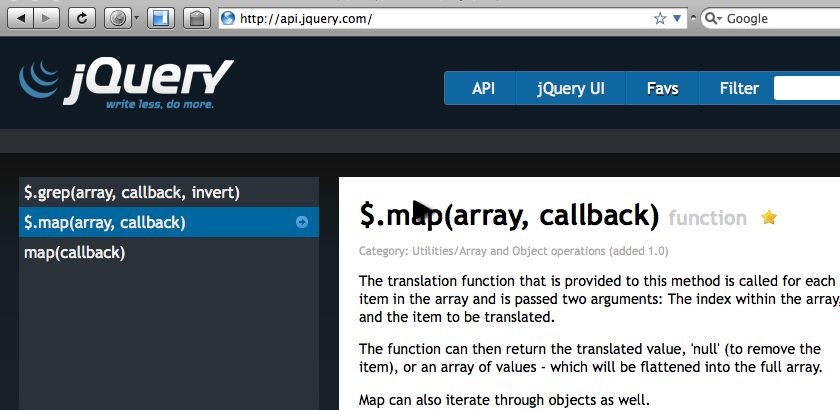
Map comes in two flavours: $.map(array, callback) and $('element').map(callback). The first allows you to iterate vanilla arrays, and the second to loop through elements.

The $.map function returns a plain array, where as $('element').map returns a jQuery wrapped array, which means you still have access to functions like each.

A really powerful use of map to pull out a comma separated list of element IDs from a list of anchor element, as often explained by ajpiano on the #jquery IRC channel:

var panelIds = $('a').map(function() { 
  return this.hash; 
}).get().join(",")

// returns: #tabA,#tabB,#tabC

This can be useful to collect the list of tabs the links are related to as seen in the jQuery look: Tim Van Damme tutorial last month.

Grep

grep is similar to $.map in that it will return an array. It’s only available in the $.grep flavour, and allows you to create new arrays when a certain condition is met (which is defined in the callback).

Note that in the this keyword is a reference to the window object, rather than the current item as you might expect.

A contrived example could be to create a comma separated list of IDs that start with the word ‘tab’:

var g = $.grep($('a').get(), function (item) {
    return /^#tab/.test(item.hash);
});

var panelIds = $.map(g, function (item) {
    return item.hash
}).join(',');

Other Uses?

These are pretty useful utilities for specific problems - if anyone else has any examples of how they use these functions, please show off your code and share!

Demo

If you find this demo doesn't work as expected, it's possibly due to the demo running from within an iframe. Try running the demo in it's own window.

Source Code

<!DOCTYPE html PUBLIC "-//W3C//DTD XHTML 1.0 Strict//EN"
  "http://www.w3.org/TR/xhtml1/DTD/xhtml1-strict.dtd">
<html xmlns="http://www.w3.org/1999/xhtml" xml:lang="en" lang="en">
<head>
<meta http-equiv="Content-type" content="text/html; charset=utf-8" />
<title>API: Map and Grep</title>
<style type="text/css" media="screen">
    h2 {
        font-size: 40px;
    }
    
    BODY { padding: 10px; font: 1em "Trebuchet MS", verdana, arial, sans-serif; font-size: 100%; }
    H1 { margin: 0; margin-bottom: 10px; font-family: Garamond, "Times New Roman", Times, Serif;}

    UL {
        list-style: none;
        margin: 0;
        padding: 0;
    }

    UL LI {
        display: inline;
    }

    UL LI A {
        padding: 3px 5px;
        background-color: #ccc;
        color: #000;
        text-decoration: none;
    }

    UL LI A.selected,
    UL LI A:hover {
        background-color: #333;
        color: #fff;
        padding-top: 7px;
    }

    UL LI A:focus {
    	outline: 0;
    }

    div.tabs {
      width: 50%;
    }

    div.tabs > div {
    	padding: 5px;
    	margin-top: 3px;
    	border: 5px solid #333;
    }

    div.tabs > div h2 {
    	margin-top: 0;
    }

    #tabA {
        background-color: #f00;
    }

    #tabB {
        background-color: #0f0;
    }

    #tabC {
        background-color: #00f;
    }

    .waste {
    	min-height: 1000px;
    }

    P {
      font-size: 100%;
    }
</style>
<script src="jquery-1.3.2.js" type="text/javascript"></script>
<script type="text/javascript" charset="utf-8">

    $(function () {
        var g = $.grep($('a').get(), function (item) {
            return /^#tab/.test(item.hash);
        });

        var panelIds = $.map(g, function (item) {
            return item.hash
        }).join(',');
                
        console.log(panelIds);
        
        $(panelIds).hide().filter(':first').show();
    });

</script>
</head>
<body>
    <h1>API: map &amp; grep</h1>

    <div class="tabs">
        <ul>
            <li><a class="selected" href="#tabA">First</a></li>
            <li><a href="#tabB">Second</a></li>
            <li><a href="#tabC">Third</a></li>
            <li><a href="http://jquery.com/#info">Not really a tab</a></li>
        </ul>
        <div id="tabA">
            <h2>First</h2>
            <p>Lorem ipsum dolor sit amet, consectetur adipisicing elit, sed do eiusmod tempor incididunt ut labore et dolore magna aliqua. Ut enim ad minim veniam, quis nostrud exercitation ullamco laboris nisi ut aliquip ex ea commodo consequat. Duis aute irure dolor in reprehenderit in voluptate velit esse cillum dolore eu fugiat nulla pariatur. Excepteur sint occaecat cupidatat non proident, sunt in culpa qui officia deserunt mollit anim id est laborum.</p>
        </div>
        <div id="tabB">

            <h2>Second</h2>
            <p>Lorem ipsum dolor sit amet, consectetur adipisicing elit, sed do eiusmod tempor incididunt ut labore et dolore magna aliqua. Ut enim ad minim veniam, quis nostrud exercitation ullamco laboris nisi ut aliquip ex ea commodo consequat. Duis aute irure dolor in reprehenderit in voluptate velit esse cillum dolore eu fugiat nulla pariatur. Excepteur sint occaecat cupidatat non proident, sunt in culpa qui officia deserunt mollit anim id est laborum.</p>
        </div>
        <div id="tabC">
            <h2>Third</h2>
            <p>Lorem ipsum dolor sit amet, consectetur adipisicing elit, sed do eiusmod tempor incididunt ut labore et dolore magna aliqua. Ut enim ad minim veniam, quis nostrud exercitation ullamco laboris nisi ut aliquip ex ea commodo consequat. Duis aute irure dolor in reprehenderit in voluptate velit esse cillum dolore eu fugiat nulla pariatur. Excepteur sint occaecat cupidatat non proident, sunt in culpa qui officia deserunt mollit anim id est laborum.</p>
        </div>

        
    </div>
    
    <p>Please check the source code for this example and see Firebug's console log (this code will break in IE as it uses the console) - this is just an example of <code>map</code> and <code>grep</code> and so this demo is non-functional.</p>
</body>
</html>

Comments

  1. Tim Fletcher On 26th March 2009 at 01:03

    Remy, I cannot thank you enough for creating these superb tutorials. I’ve been through nearly all of them and learned so much. Great work!

    Also, keep on saying mynameisremysharp super-fast like you do. Makes me laugh every time.

  2. Chris Greenhough On 26th March 2009 at 10:03

    Hi Remy, welcome back. How was SXSW? Glad to see you back at the tutorial screencasts. Very useful as always. Keep up the good work…

  3. Chris Zeh On 1st April 2009 at 03:04

    Hi Remy,

    Just wanted to drop you a line to say j4d is awesome, I’ve learned so much in such a short period of time, just by watching your screencasts. I have to say when I first saw your TextMate font/color scheme I was blown away. I’m a PC guy, but I was able to tweak Notepad++ to almost match the look and feel of your setup. I find it a lot better to work with!!

    Thanks for all your work! –Chris

  4. mecaniqueorange On 3rd April 2009 at 10:04

    i want the new theme :)

  5. Ken On 28th September 2009 at 12:09

    I think you could speak a bit more fluent. I hope you’ll consider this constructive criticism but I find it hard to stay focused when listening to your screencasts.

Leave your own comment
  • http://