Search

API: Filter & Find

Posted on 6th January 2009 — As the first in the series of API screencasts, but also as a good beginners tutorial, this short episode shows the difference between filter and find.

Please note that I’ll continue to include full tutorial write ups with the J4D screencasts – whereas playschool and API will have a limited post accompanying them.

Watch

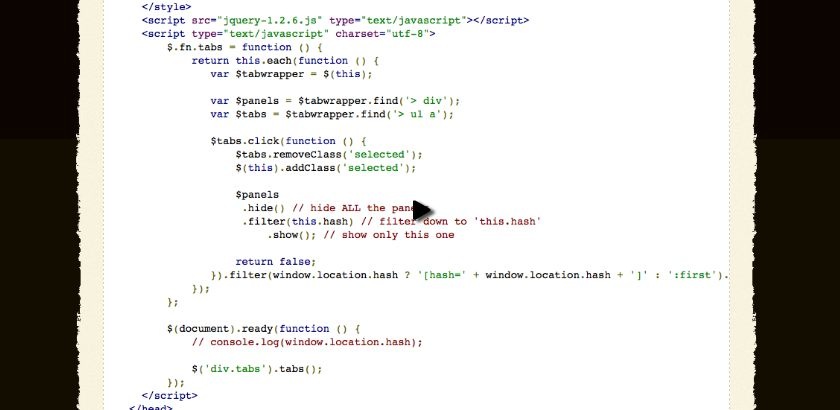
Watch the jQuery filter & find screencast (alternative flash version)

QuickTime version is approximately 20Mb, flash version is streaming.

View the demo and source code used in the screencast

Filter vs. Find

jQuery’s chaining makes working with the library incredibly expressive.

Such as:

$('div').animate({'opacity' : 0.5}, 500).addClass('warning');

Reads (fairly) easily to “animate the div’s opacity to 0.5 and add a class of ‘warning’”.

However, I still find that there’s sometimes confusion over using filter and find.

jQuery’s Definition

Filter

Removes all elements from the set of matched elements that do not match the specified function.

Find

Searches for all elements that match the specified expression. This method is a good way to find additional descendant elements with which to process.

The Difference

I’ve found the easiest way to understand the difference, is to think of find working down the DOM.

filter changes the current collection of elements, and does not search the DOM for new nodes to add to our collection.

Related screencasts

Demo

If you find this demo doesn't work as expected, it's possibly due to the demo running from within an iframe. Try running the demo in it's own window.

Source Code

<!DOCTYPE html PUBLIC "-//W3C//DTD XHTML 1.0 Strict//EN"
  "http://www.w3.org/TR/xhtml1/DTD/xhtml1-strict.dtd">
<html xmlns="http://www.w3.org/1999/xhtml" xml:lang="en" lang="en">
  <head>
    <meta http-equiv="Content-type" content="text/html; charset=utf-8" />
    <title>Find vs. Filter API example</title>
    <style type="text/css" media="screen">
        h2 {
            font-size: 40px;
        }
        
        BODY { margin: 10px; padding: 20px; font: 1em "Trebuchet MS", verdana, arial, sans-serif; font-size: 100%; }
        H1 { margin-bottom: 2px; font-family: Garamond, "Times New Roman", Times, Serif;}

        UL {
            list-style: none;
            margin: 0;
            padding: 0;
        }

        UL LI {
            display: inline;
        }

        UL LI A {
            padding: 3px 5px;
            background-color: #ccc;
            color: #000;
            text-decoration: none;
        }

        UL LI A.selected,
        UL LI A:hover {
            background-color: #333;
            color: #fff;
            padding-top: 7px;
        }

        UL LI A:focus {
        	outline: 0;
        }

        div.tabs {
          width: 50%;
        }

        div.tabs > div {
        	padding: 5px;
        	margin-top: 3px;
        	border: 5px solid #333;
        }

        div.tabs > div h2 {
        	margin-top: 0;
        }

        #first {
            background-color: #f00;
        }

        #second {
            background-color: #0f0;
        }

        #third {
            background-color: #00f;
        }

        .waste {
        	min-height: 1000px;
        }

        P {
          font-size: 100%;
        }
    </style>
    <script src="jquery-1.2.6.js" type="text/javascript"></script>
    <script type="text/javascript" charset="utf-8">
        $.fn.tabs = function () {
            return this.each(function () {
               var $tabwrapper = $(this); 
               
               var $panels = $tabwrapper.find('> div');
               var $tabs = $tabwrapper.find('> ul a');
               
               $tabs.click(function () {  
                   $tabs.removeClass('selected');
                   $(this).addClass('selected');
                                    
                   $panels
                    .hide() // hide ALL the panels
                    .filter(this.hash) // filter down to 'this.hash'
                        .show(); // show only this one
                   
                   return false;
               }).filter(window.location.hash ? '[hash=' + window.location.hash + ']' : ':first').click();
            });
        };
        
        $(document).ready(function () {
            // console.log(window.location.hash);
            
            $('div.tabs').tabs();
        });
    </script>
  </head>
  <body id="page">
    <div class="tabs">
        <ul>
            <li><a href="#first">First</a></li>
            <li><a href="#second">Second</a></li>
            <li><a href="#third">Third</a></li>
        </ul>
        <div id="first">
            <h2>First</h2>
            <p>Lorem ipsum dolor sit amet, consectetur adipisicing elit, sed do eiusmod tempor incididunt ut labore et dolore magna aliqua. Ut enim ad minim veniam, quis nostrud exercitation ullamco laboris nisi ut aliquip ex ea commodo consequat. Duis aute irure dolor in reprehenderit in voluptate velit esse cillum dolore eu fugiat nulla pariatur. Excepteur sint occaecat cupidatat non proident, sunt in culpa qui officia deserunt mollit anim id est laborum.</p>
        </div>
        <div id="second">

            <h2>Second</h2>
            <p>Lorem ipsum dolor sit amet, consectetur adipisicing elit, sed do eiusmod tempor incididunt ut labore et dolore magna aliqua. Ut enim ad minim veniam, quis nostrud exercitation ullamco laboris nisi ut aliquip ex ea commodo consequat. Duis aute irure dolor in reprehenderit in voluptate velit esse cillum dolore eu fugiat nulla pariatur. Excepteur sint occaecat cupidatat non proident, sunt in culpa qui officia deserunt mollit anim id est laborum.</p>
        </div>
        <div id="third">
            <h2>Third</h2>
            <p>Lorem ipsum dolor sit amet, consectetur adipisicing elit, sed do eiusmod tempor incididunt ut labore et dolore magna aliqua. Ut enim ad minim veniam, quis nostrud exercitation ullamco laboris nisi ut aliquip ex ea commodo consequat. Duis aute irure dolor in reprehenderit in voluptate velit esse cillum dolore eu fugiat nulla pariatur. Excepteur sint occaecat cupidatat non proident, sunt in culpa qui officia deserunt mollit anim id est laborum.</p>
        </div>

        
    </div>
  </body>
</html>

Comments

  1. Franco On 8th January 2009 at 15:01

    Excellent work ;o) I plan to include more references to your screencasts in my web site.

  2. Rob On 12th January 2009 at 10:01

    Thanks to point out the difference cause this always is a bit confusing. Waiting for the next episode :D

  3. Alex On 10th May 2009 at 07:05

    Great work – clear explanation with visual support! Thank you )

  4. bitlimakina On 6th June 2009 at 14:06

    thanks for this best practice.

Comments are now closed.